
API Exploration
returns.cloud provides three tools to explore and work with your GraphQL API integration:
- GraphiQL – build, validate, and execute queries and mutations
- SpectaQL – browse the generated API reference
- GraphQL Voyager – visually explore the schema and relationships
All three are based on the GraphQL schema exposed by your integration.
Access the exploration tools
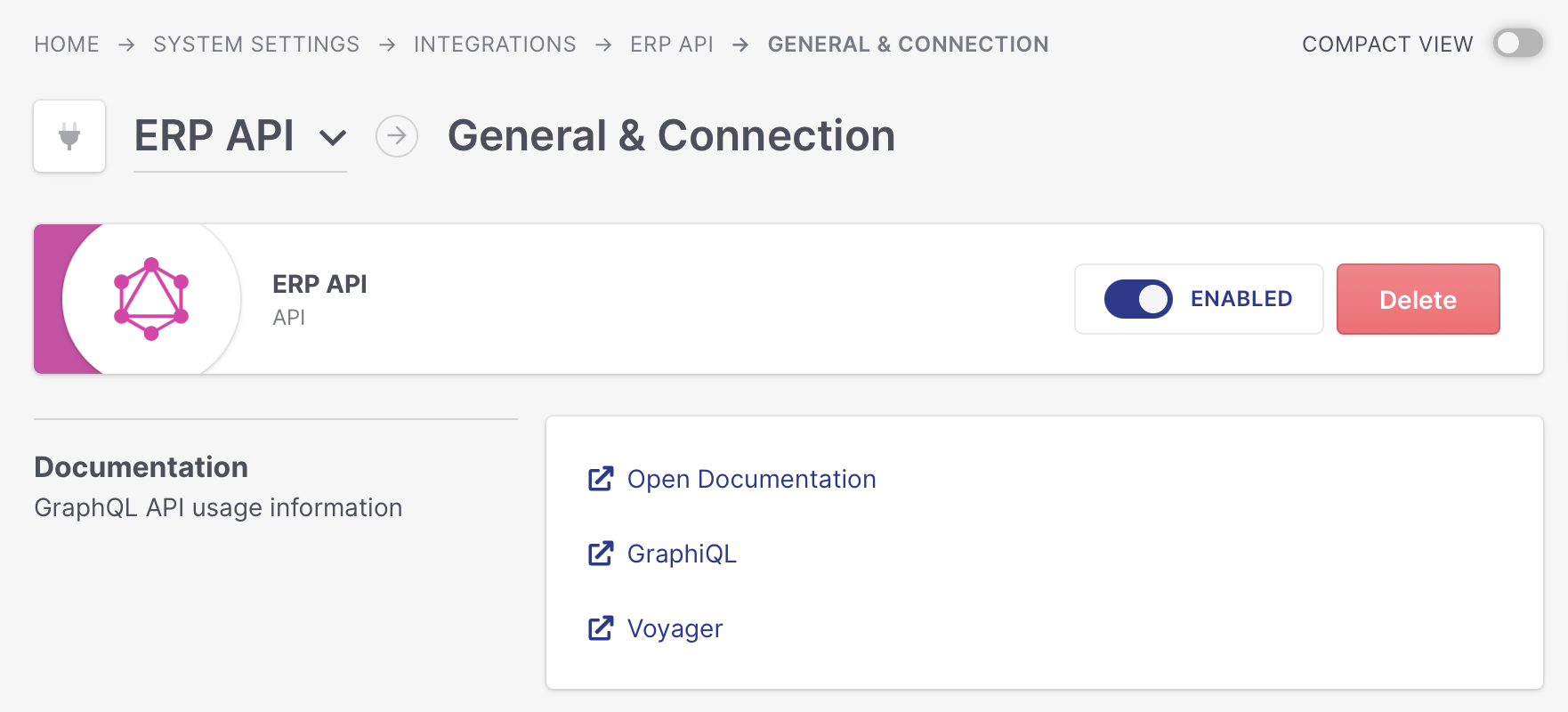
Users with the required permissions can create a GraphQL API integration in the Integrations section of the Management App.
After the integration has been created, its tile provides direct links to:
- GraphiQL
- SpectaQL
- GraphQL Voyager
GraphiQL
GraphiQL is the interactive workspace for your API integration.
Use it to:
- explore available queries and mutations
- build requests with schema-aware autocomplete
- validate fields, arguments, and input types
- execute requests against your integration
- inspect actual API responses
- test filters, pagination, and nested queries
GraphiQL also provides built-in schema documentation.
Be aware that mutations can create or modify data in the connected integration.
Whenever possible, build and test new queries and mutations against your test system or sandbox environment before using them in production.
SpectaQL
SpectaQL provides generated reference documentation for the GraphQL schema.
Use it when you want to look up:
- queries and mutations
- object and input types
- fields and arguments
- enum values
- required and optional values
- schema descriptions
SpectaQL is useful as a reference while implementing or reviewing an integration.
GraphQL Voyager
GraphQL Voyager visualizes the GraphQL schema as an interactive graph.
It is particularly useful for understanding how returns.cloud entities relate to each other, for example:
Sales Order
 ├── Sales Order Items
 ├── Sales Order Parcels
 ├── Consumer
 ├── Sales Channel
 └── Return Orders
      ├── Return Order Items
      └── Return Order Parcels
Use Voyager to understand the overall data model and plan nested queries before building them in GraphiQL.
Use AI with the GraphQL schema
You can also use an AI assistant of your choice to help understand the returns.cloud API or create GraphQL requests.
Usually, providing the GraphQL introspection result gives the AI enough technical context to understand the available queries, mutations, types, fields, inputs, enums, and relationships.
Get the introspection result
The easiest way is through GraphiQL:
- Run a standard GraphQL introspection query.
- Copy the complete JSON response.
- Paste it into your AI tool or attach it as a JSON file.
For more information about GraphQL introspection, see the official GraphQL documentation: GraphQL Introspection.
You can then use a prompt such as:
The attached JSON contains the GraphQL introspection result of the returns.cloud API. Use this schema as the source of truth. Only use queries, mutations, fields, input types, and enum values that exist in the schema. Do not invent API fields.
After that, describe what you want to achieve.
For example:
I need to retrieve Return Orders updated since yesterday, including their items and parcels. Create the required GraphQL query based only on the provided schema.
Or:
I need to import a Sales Order with two items and one parcel. Identify the required mutation and input types and create an example request.
Validate AI-generated requests
AI can help explain the schema and draft requests, but the GraphQL schema remains the source of truth.
Always validate generated queries and mutations in GraphiQL before implementing them. Test them against your test system or sandbox environment first, especially if they create or modify data.
Do not provide API credentials or production customer data to an external AI service unless this is permitted by your organization's policies.
Recommended workflow
A typical workflow is:
- Use Voyager to understand the data model.
- Use SpectaQL to look up fields, inputs, and operations.
- Optionally use the introspection result with an AI assistant.
- Use GraphiQL to build and validate the request.
- Test the request against your test system or sandbox environment.
- Once validated, implement and use it in production.