
Self-Service Portal Handover
Please note: This article summarises legal requirements for orientation purposes only. It is not legal advice. If you need advice on your individual obligations, we recommend consulting a lawyer.
What the handover is
If the widget option "Continue the process" is enabled (see "Setting up a Withdrawal Widget"), the customer sees a link after confirming the withdrawal and can continue seamlessly into the Self-Service Portal. There, the withdrawal return is started for the withdrawn order: the customer arranges the shipment back to you (label creation, carrier selection, drop-off options), and returns.cloud tracks the parcel until the final credit note, which can be issued automatically depending on your configuration.
If the option is not enabled, the customer receives a closing confirmation in the modal instead. The withdrawal case is still created and processed in the Management Portal as usual, and your team can create the withdrawal return from the case manually. See "Processing Withdrawal Cases".
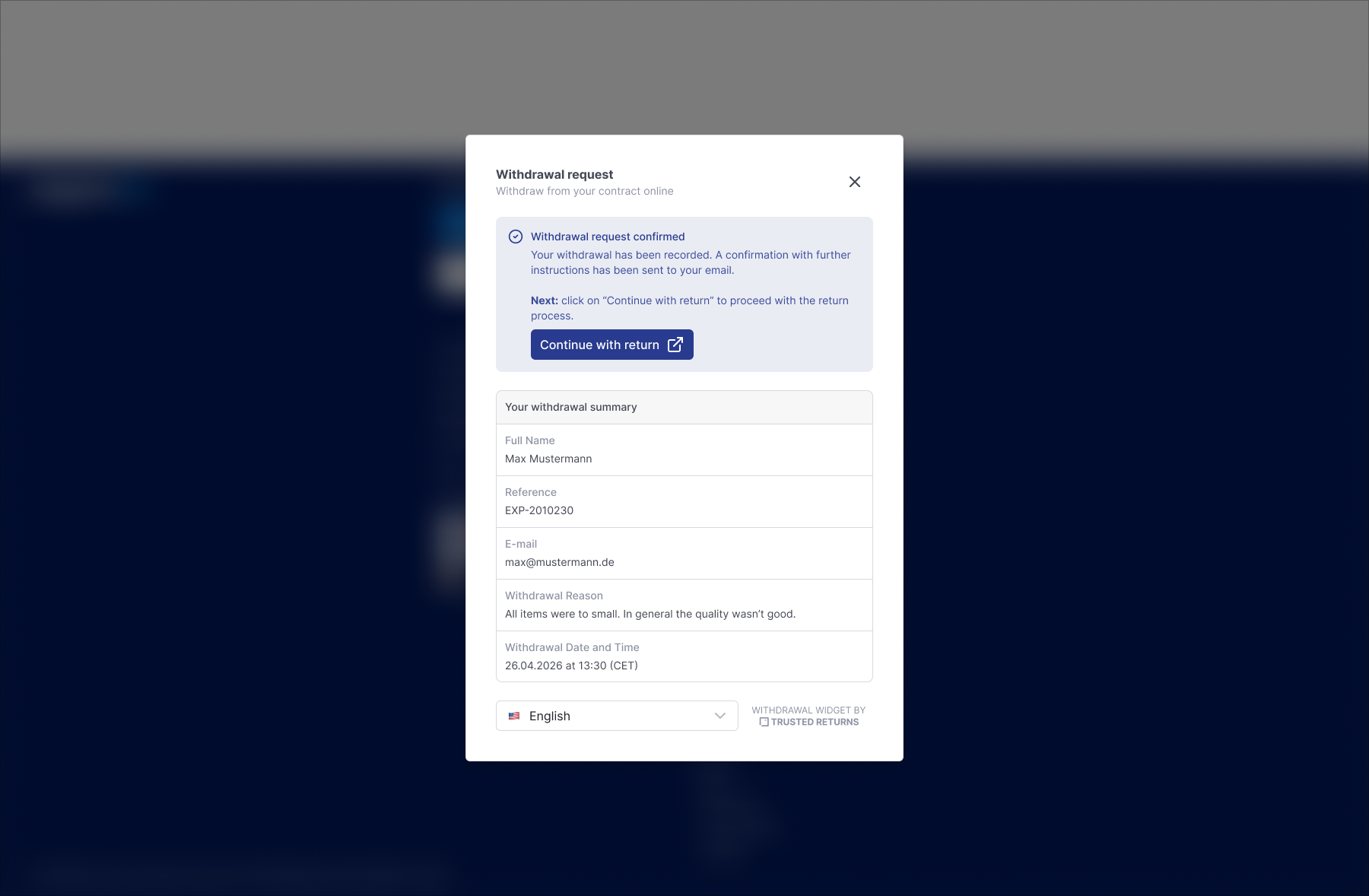
What the customer sees
- The customer confirms the withdrawal in step 2 of the widget.
- The confirmation offers the link into the Self-Service Portal.
- In the Self-Service Portal, the withdrawn items are already preselected and read-only. The customer cannot deselect items or change quantities, because the withdrawal applies to the order as declared.
- The customer chooses the return options you offer (for example carrier or drop-off point) and receives the return label.
- From here, the standard Self-Service experience applies: shipment tracking, status updates, and so on.
Withdrawal return vs. voluntary return in the Self-Service Portal
The Self-Service Portal serves both flows, but they follow different rules:
- Voluntary return: You define the rules. Return policies, individual deadlines, exclusions, and compensation alternatives such as exchange or in-store credit are entirely your business decision and can be configured freely.
- Withdrawal return: The statutory withdrawal governs the process. Your voluntary return policies, individual deadlines and exclusions do not apply here. The customer exercises a statutory right, and the process reflects that.
This strict separation is deliberate: the customer never lands in a mixed world where a statutory right and a voluntary service blur into each other, and your team always sees which type of process it is handling.
Good to know
- The Self-Service Portal uses your existing branding, so the transition from the widget to the portal feels like one consistent experience.
- The withdrawal case in the Management Portal stays linked to the withdrawal return created in the Self-Service Portal, in both directions. See "Processing Withdrawal Cases".
- The customer keeps receiving the standard email communication for the withdrawal (receipt confirmation, status emails) in addition to the return-related notifications.